Results for objects of the same type
Results are available for different types of objects in SIC²:
-* The Sections -* The Singular Sections -* The Devices in Cross-Structures -* The Nodes -* The Intakes -* The devices in Intakes
You can view the results of all or part of these objects by making a selection on the network graph.
To view the results for a particular type of object, possibly select a network portion, and click this drop-down list in the toolbar:
The results are displayed for the selected object type:
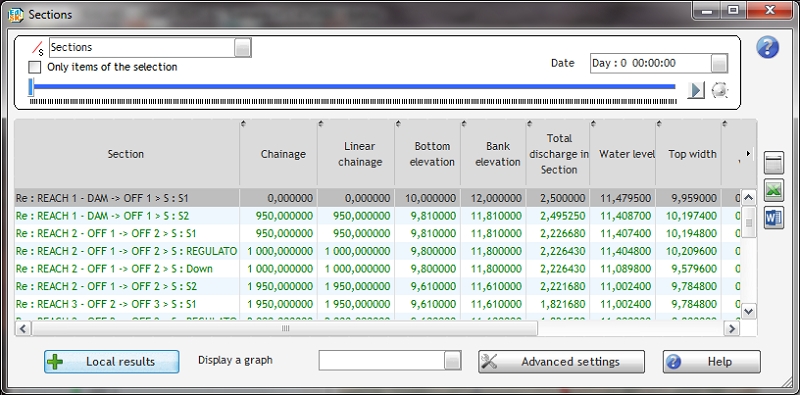
If the simulation result includes several time steps, the first time step is displayed by default. You can display other time steps using a scroll bar and a drop down list:

This function is also available for graphics displayed from this window. The play button and the potentiometer to its right allow to launch a dynamic animation of the results over time. It is also possible to record the animation of a graphic in the form of a video.
In addition to the common options present on the tables of results, this viewing mode offers different actions:
-* Directly select another type of object to be displayed using this drop-down list at the top of the window. -* The ability to switch between the display of all objects and selection using the checkbox “Only the elements in the selection” at the top of the screen. -* The ability to display the time serie result for an item by double-clicking the item from the list or by selecting it and clicking the “local results” button at the bottom of the window.