The project explorer
The Project Explorer is the window to navigate between different modes of EdiSic (geometry, hydraulic and result) but also to manage the hydraulic scenarios and variants to be discussed in this part (see The three modes: geometry , hydraulic and result).
To access it:
- Menu Project> Project Explorer
- The button

Note: it is also possible to quickly navigate between different modes (Geometry - Hydraulics - Result) using the arrows to the right and left of the button
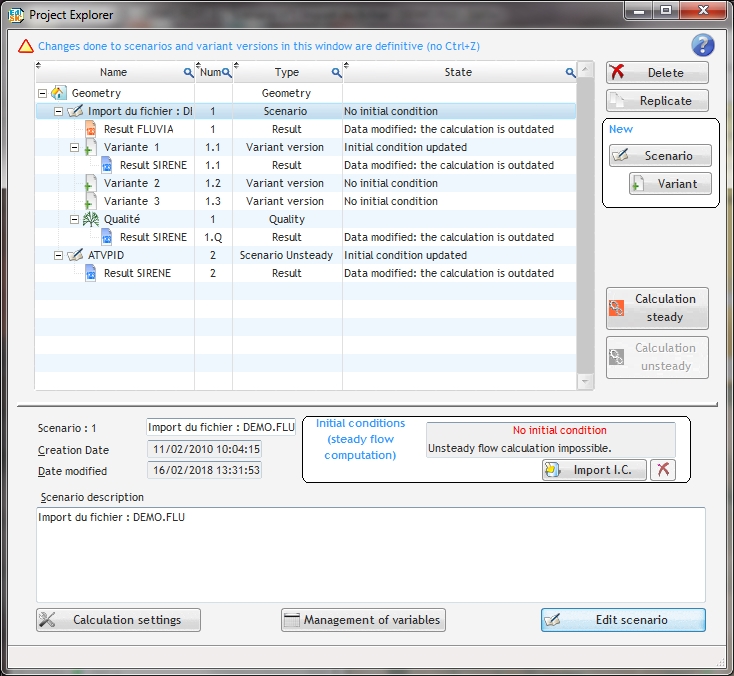
In this window, you can create new hydraulic scenarios, duplicate or delete existing scenarios.
To edit a scenario:
- Select the scenario to edit then click on the button “Edit Scenario”
- Double-click on the scenario to edit